Pickling1
Publisher Description
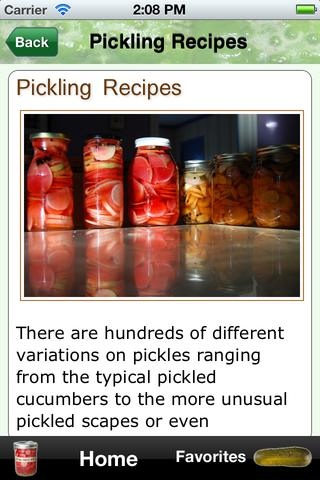
The great thing about pickles is their amazing flexibility! When made properly they are a great complement as a side dish, are often used as a condiment, and are a healthy and flavorful snack.
Want to learn how to make these great treats at home?
Our Pickling app will teach you how to make pickles from many different vegetables and has 14 recipes with step by step instructions to get you started. It also contains an overview of the pickling process including:
Refrigerator Pickles
Fermented Pickles
Canning Pickles
Our current recipes include:
Spicy Pickled Garlic
Basic Pickled Garlic
Pickled Cherries
Pickled Peppers
Pickled Green Beans
Pickled Carrots
Fermented Dill Pickles
Bread and Butter Pickles
Dilly Bean
Pickled Jalapenos
Pickled Asparagus
Pickled Zucchini
Pickled Radishes
Pickled Garlic Scapes
You can also add custom notes to the recipes to keep track of your own experiences and can even save recipes in your Favorites for easy access later!
We will be adding new recipes and new vegetables so let us know what you'd like to see!
Requires iOS 4.0 or later. Compatible with iPhone, iPad, and iPod touch.
About Pickling
The company that develops Pickling is Jason Logsdon. The latest version released by its developer is 1.
To install Pickling on your iOS device, just click the green Continue To App button above to start the installation process. The app is listed on our website since 2012-07-24 and was downloaded 7 times. We have already checked if the download link is safe, however for your own protection we recommend that you scan the downloaded app with your antivirus. Your antivirus may detect the Pickling as malware if the download link is broken.
How to install Pickling on your iOS device:
- Click on the Continue To App button on our website. This will redirect you to the App Store.
- Once the Pickling is shown in the iTunes listing of your iOS device, you can start its download and installation. Tap on the GET button to the right of the app to start downloading it.
- If you are not logged-in the iOS appstore app, you'll be prompted for your your Apple ID and/or password.
- After Pickling is downloaded, you'll see an INSTALL button to the right. Tap on it to start the actual installation of the iOS app.
- Once installation is finished you can tap on the OPEN button to start it. Its icon will also be added to your device home screen.
